






Purpose
- Scope: use My Terminology
- Intended audience: External translators
Requirements
- Transtool external version already installed.
- Version of Transtool 2.73 or later
Instructions
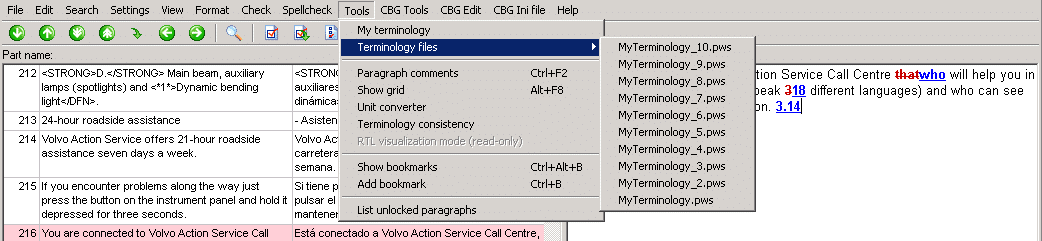
- In Transtool, click Tools → My terminology or use the shortcut Ctrl + T:
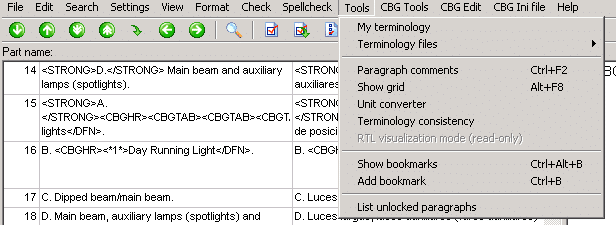
- Click File → New… or Open… to create or open a .pws file:
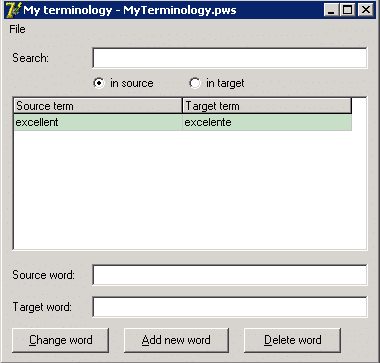
Note: by default it is not possible to add words to “My terminology” unless a file is previously created or loaded.
- Type in the source and target words.
- Click Add new word.
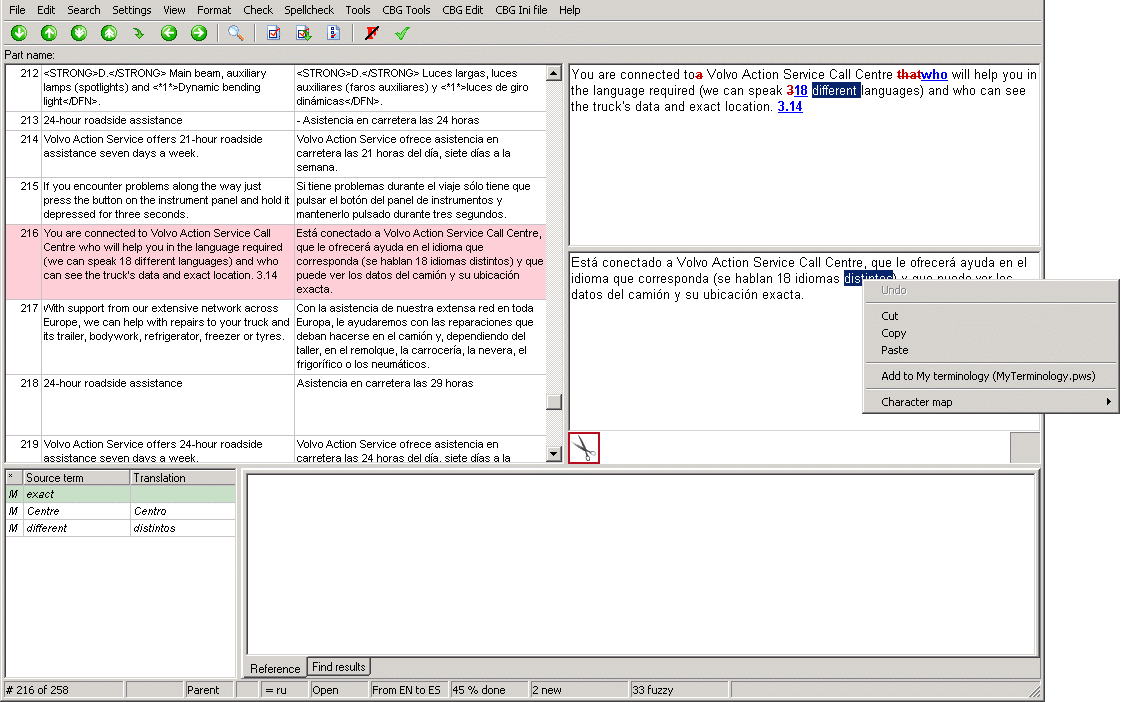
It is also possible to add new words to My Terminology directly from the Source/Target, as follows: Select the word(s) you would like to add to My Terminology (if both Source and Target are selected they will both be added, otherwise only the selected term) → right click → Add to My terminology.
- To change a word: Select the word → add your changes to Source and Target → click Change word.
- To delete a word: Select the word → click Delete word.
Additionally, My Terminology will save a list of previously used files in Tools → Terminology files: